Enter Budget
Enter Store Budget
Budgets are vital as they enable effective financial planning and control, ensure operational efficiency, and support strategic decision-making. By forecasting cash flow, setting performance targets, and managing costs, budgets help retailers optimise resource allocation, achieve sustainable growth, and navigate financial challenges. This section provides guidance on leveraging budgeting tools to enhance your retail business's financial stability and operational success.
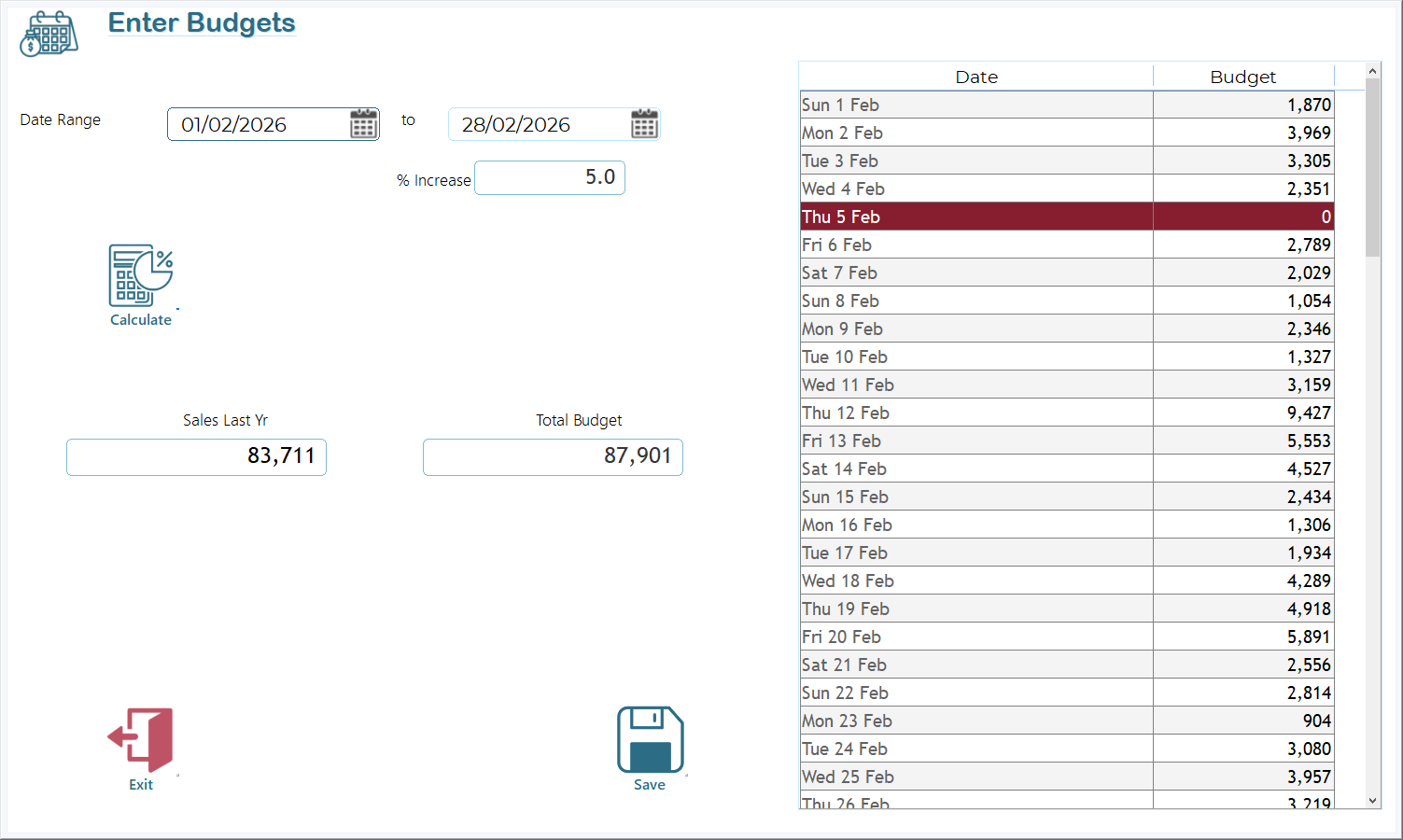
|
Area |
Description |
|
Date Range |
Pick start and end dates for budgeting. |
|
% Increase |
Enter the desired increase over last year’s figures (use a -ve value for decrease). |
|
Calculate |
Applies the % increase to each day in the range. |
|
Sales Last Yr |
Sum of last year’s sales across the chosen period. |
|
Total Budget |
Sum of budgets calculated for the period. |
|
Budget Table |
Shows each date and its calculated budget. |
|
Red Rows |
Days where no last-year data existed, yielding a zero. |
|
Save / Exit |
Persist changes or return to the main menu. |
|
Column |
Meaning |
|
Date |
The current year’s date. |
|
Budget |
Calculated budget for that date. |
Why Red Rows Appear
If last year’s data for that specific weekday (same week number) doesn’t exist (ie store was closed that day), the calculation yields zero. The row is highlighted in red to draw attention to missing historical data.
When calculating budgets, the system compares same days. For instance, when determining the budget for Sunday, September 1st, it will use sales data from the closest corresponding Sunday from the previous year (in this case, Sunday, August 27th). This approach ensures a more accurate comparison.